Task 3 has been released. The task time for the beginner class is from May 7 to May 18, and the intermediate class is from April 30 to May 10.
TASK 0003 content: https://github.com/baidu-ife/ife/tree/master/task/task0003
What I did: https://github.com/DIYgod/ife-work/tree/master/task0003
Online Demo: https://www.anotherhome.net/file/ife/task0003/
This task took a total of 10 days (5.6-5.16)
Below are some records of my work on TASK 0003.
1. JavaScript Scope (Refer to Brother Bird: Principles of Javascript Scope Understanding JavaScript Scope and Scope Chain)
Functions in JavaScript run in the scope in which they are defined, not the scope in which they are executed.
JS has a pre-compilation process. Before executing each piece of JS code, JS will first process the var keyword and function definition (function definition and function expression). Before calling the function for execution, an active object will first be created, and then the local variable definition and function definition in the function will be searched, and the variable name and function name will be used as the same-named attributes of the active object. For local variable definitions, the value of the variable will not be calculated until it is actually executed. At this time, it is simply assigned to undefined.
Inspiration for code optimization:
It can be seen from the structure of the scope chain that the deeper the identifier is located in the scope chain of the runtime context, the slower the reading and writing speed will be. Because global variables always exist at the end of the runtime context scope chain, looking up global variables is the slowest during identifier resolution. Therefore, when writing code, you should use global variables as little as possible and use local variables as much as possible. A good rule of thumb is: if a cross-scope object is referenced more than once, store it in a local variable before using it.
For example the following code:
function changeColor(){
    document.getElementById("btnChange").onclick=function(){
        document.getElementById("targetCanvas").style.backgroundColor="red";
    };
}
This function references the global variable document twice. To find the variable, you must traverse the entire scope chain until it is finally found in the global object. This code can be rewritten as follows:
function changeColor(){
    var doc=document;
    doc.getElementById("btnChange").onclick=function(){
        doc.getElementById("targetCanvas").style.backgroundColor="red";
    };
}
This code is relatively simple and will not show a huge performance improvement after rewriting. However, if there are a large number of global variables in the program that are accessed repeatedly, the performance of the rewritten code will be significantly improved.
2. Highly adaptive (Refer to CSS Layout Skills - Highly Adaptive)
Height adaption is not as simple as width adaption, and is slightly more complicated in terms of browser compatibility.
However, writing height: 100%; directly is useless. To do this:
position: absolute;
top: 60px;
bottom: 0;
3. The gap that appears and disappears inexplicably
The thing is like this. Everything on the page was normal yesterday (May 12). After getting up this morning, I did not change the code. I refreshed the page and the page actually changed. There are gaps on the right and lower sides of the element where the overflow: scroll CSS attribute is set, as shown in the figure:
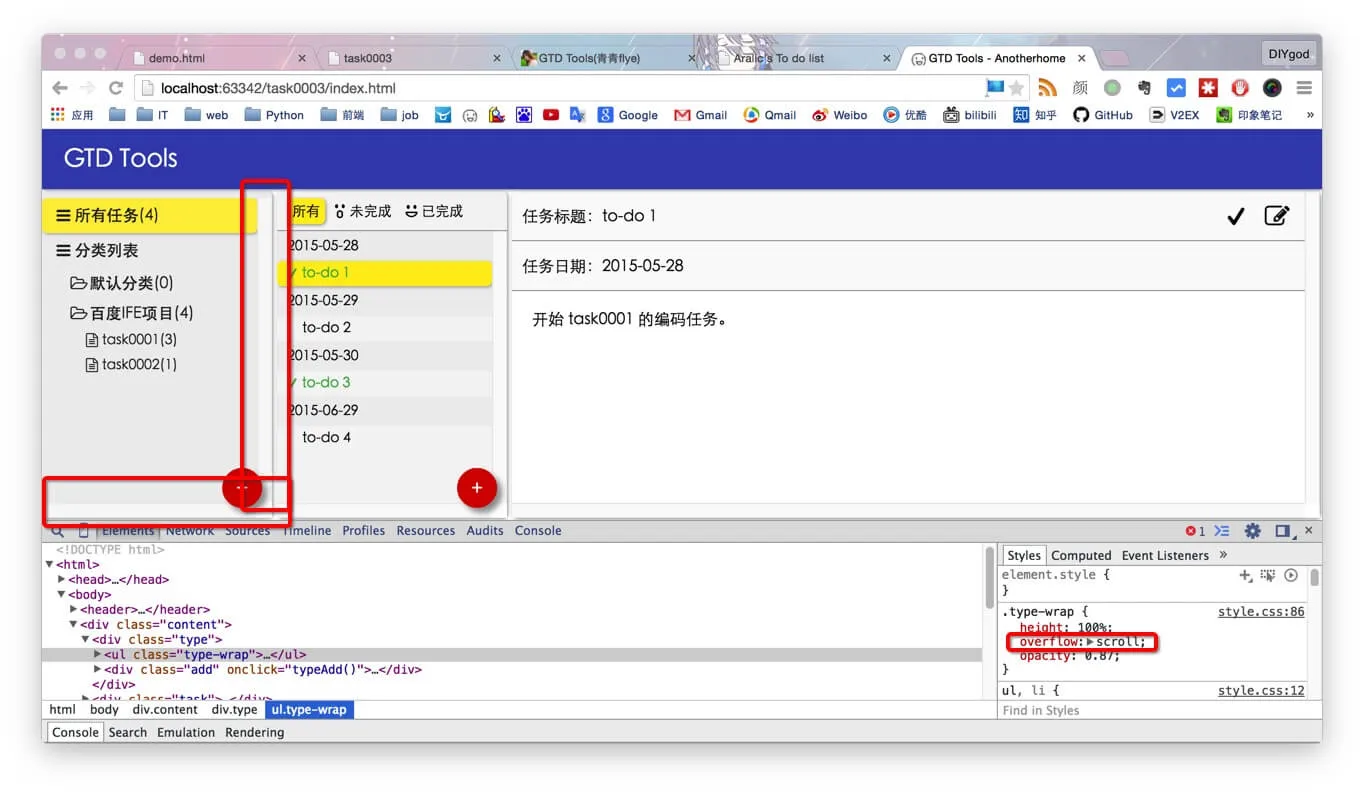
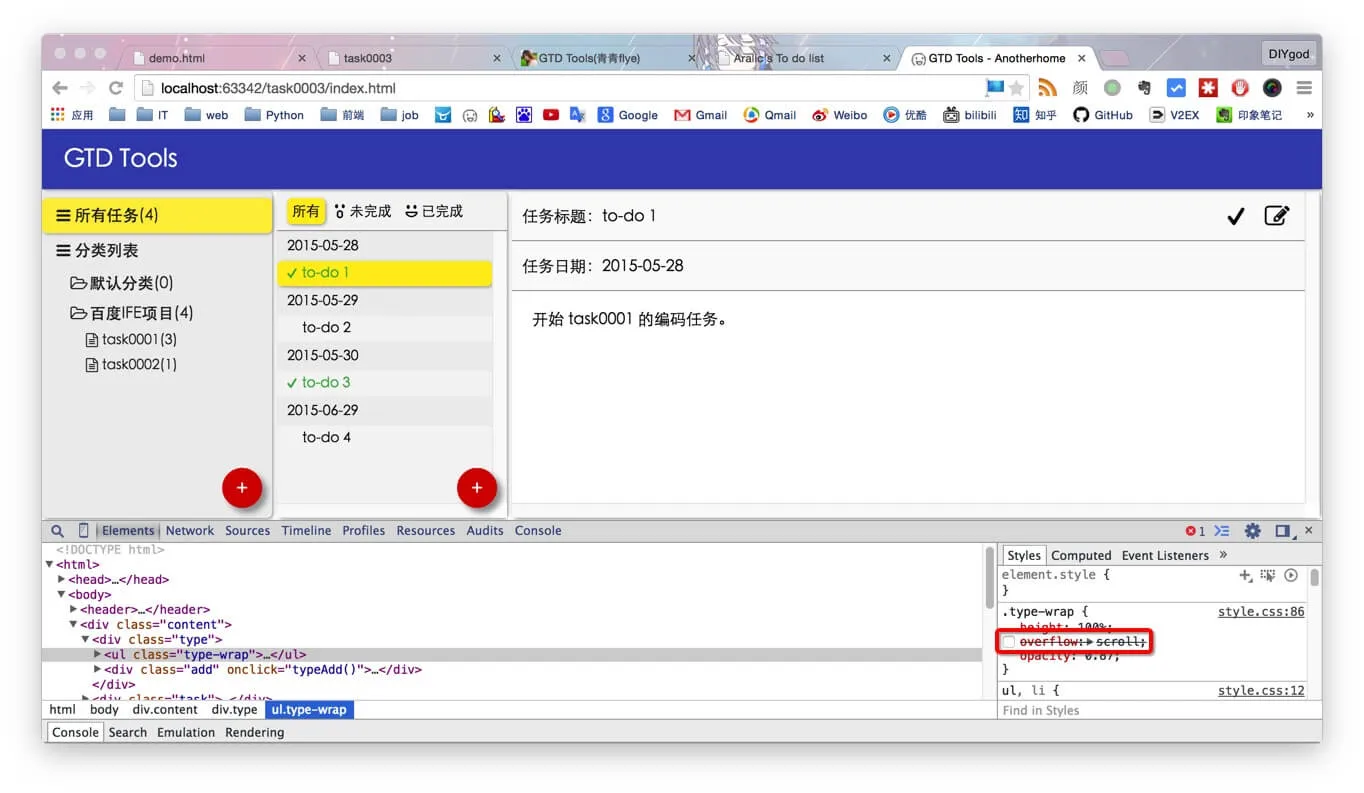
And if the overflow: scroll attribute is removed, the gap will disappear. This situation occurred in all tests of Chrome and Safari, and I tried clearing the cache, but no solution was found. So the code at this time was committed and pushed to github.
In the afternoon, the same tab, the same page, refreshed, the bug disappeared by itself, and at this time the code had only few and insignificant changes compared to the morning, commit again and push to github (all changes recorded in github), screenshot again:
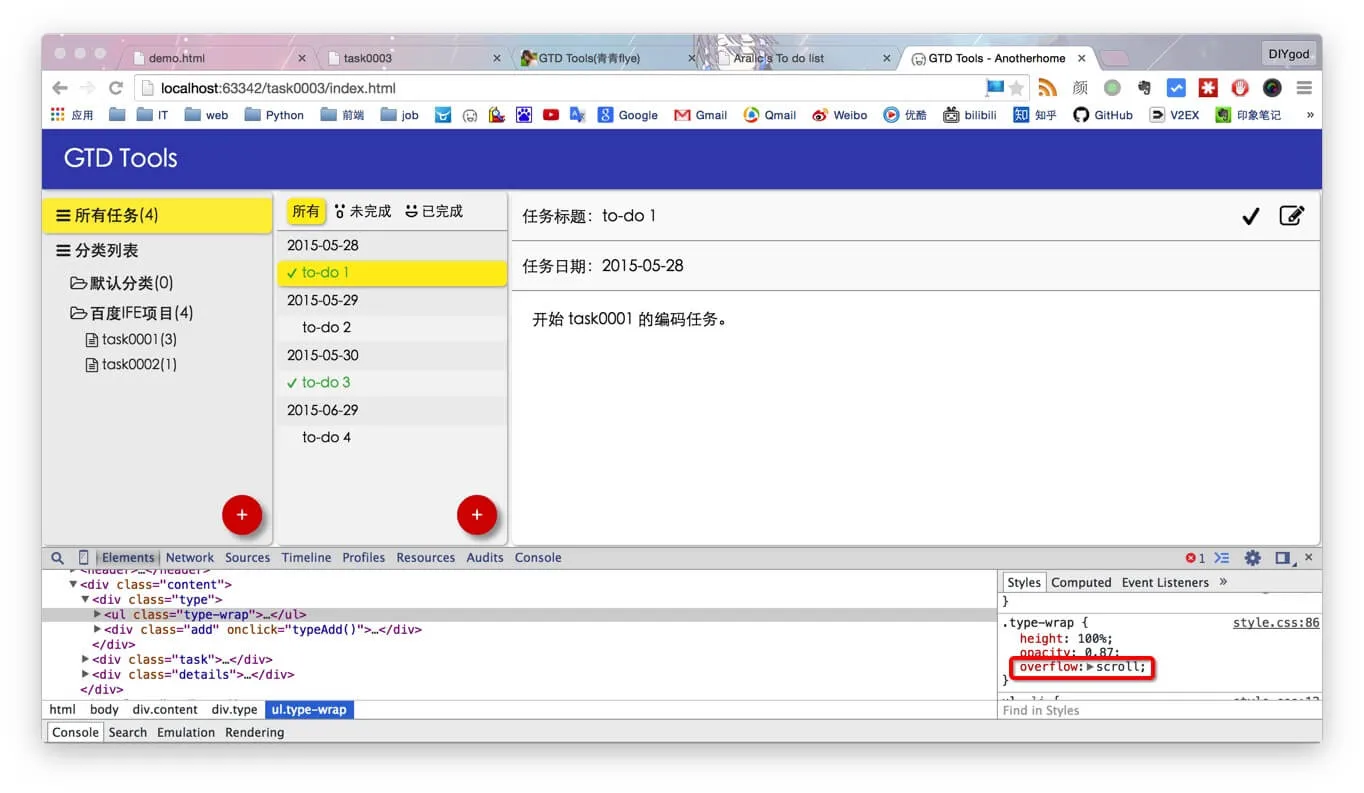
Note: After both changes, I tried testing Chrome and Safari and cleared the cache.
So far, I have no clue and cannot reproduce it. There is really no way to delve deeper into it.
I guess it’s a Mac bug.
4. Mutual conversion between JavaScript objects and JSON text (Refer to Mutual conversion between JavaScript objects and JSON strings JSON Tutorial - W3CSCHOOL)
eval function: Convert JSON text to JavaScript object; calls JavaScript editor; very fast, but may have security issues
var obj = eval('(' + JSONTest + ')');
Use JSON parser:
JSON.parse function: Convert JSON text to JavaScript objects
JSON.parse(text[, reviver])
JSON.stringify function: Convert JavaScript objects to JSON text
JSON.stringify(value[, replacer[, space]])
5. The textarea and input sizes are larger than expected
Thank you Li Sheng for your help
This question is actually very simple, but I didn’t expect it. It was quite confusing at first, as follows:
See the Pen RPaJpb by DIYgod (@DIYgod) on CodePen.
The problem is that the textarea and input are 6px wider than the set width, which makes me feel uncomfortable when I see it. In fact, it is because these two elements have default 2px padding and 1px border. In the CSS part of these two elements, add
padding: 0;
border: 0;
Or something more elegant
-webkit-box-sizing: border-box;
-moz-box-sizing: border-box;
box-sizing: border-box;
Just fine.
☆ミ(o*・ω・)ノFinished and scattered flowers, waiting for review