I recently replaced my two-year-old iPhone X with a Redmi K20 Pro to experience the free and sweet air of Android

Unlock Bootloader
Xiaomi mobile phones are shipped with the bootloader locked. You need to download the unlocking tool from the official website to unlock it.
Both flashing and ROOT require unlocking the Bootloader, which is the first step to mess with everything.
So the first thing I did when I got the phone was to connect it to the computer, download the unlocking tool, and run the unlocking program:
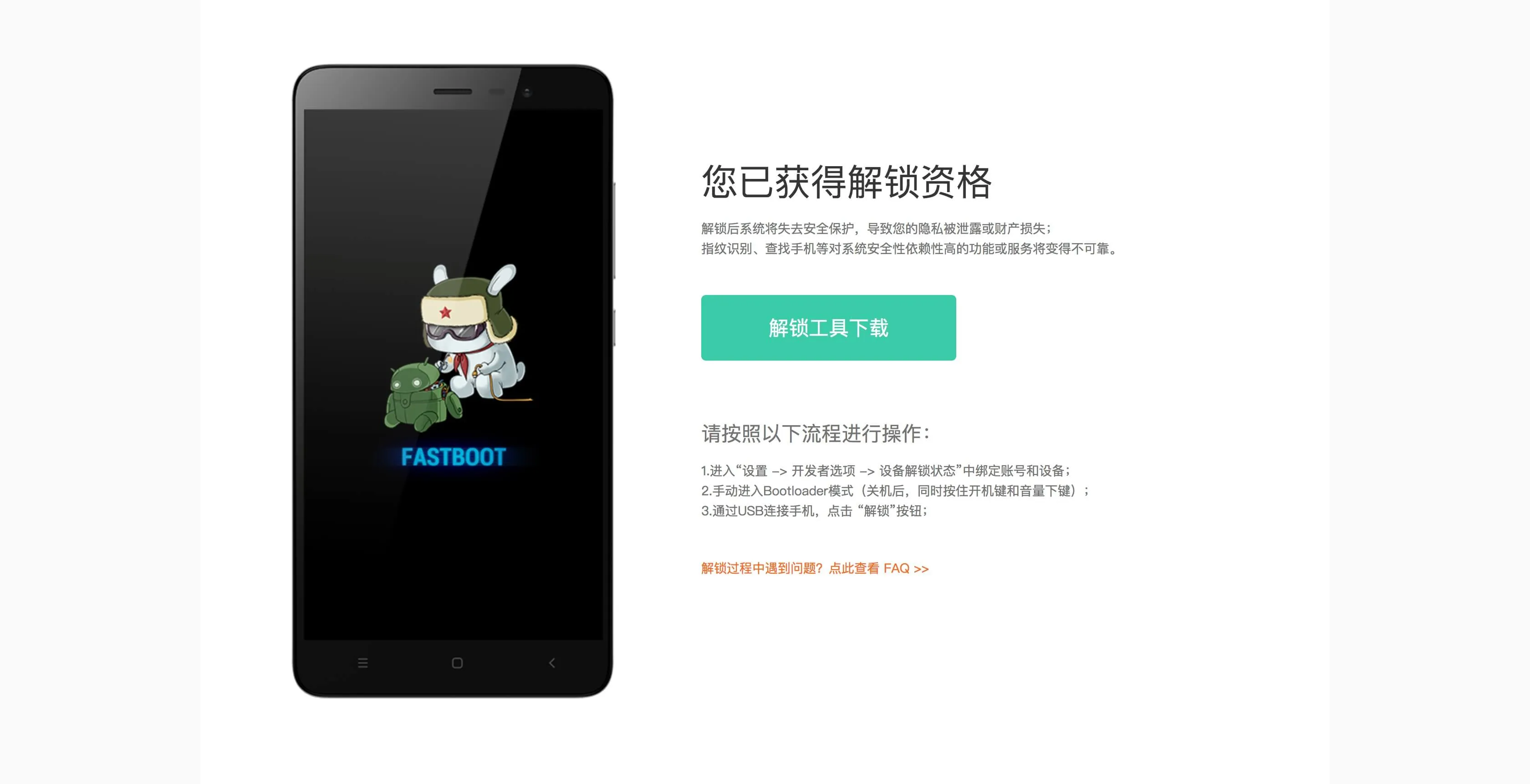
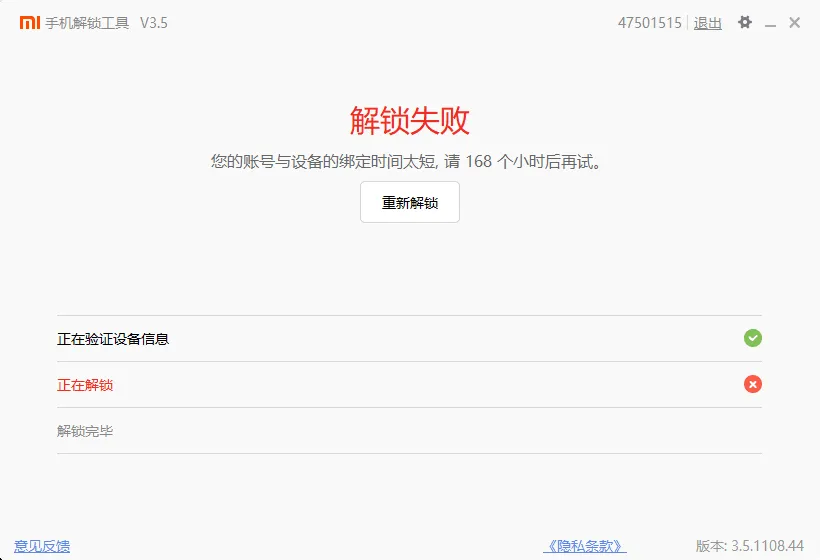
game over
———————————————————————
7 days later:
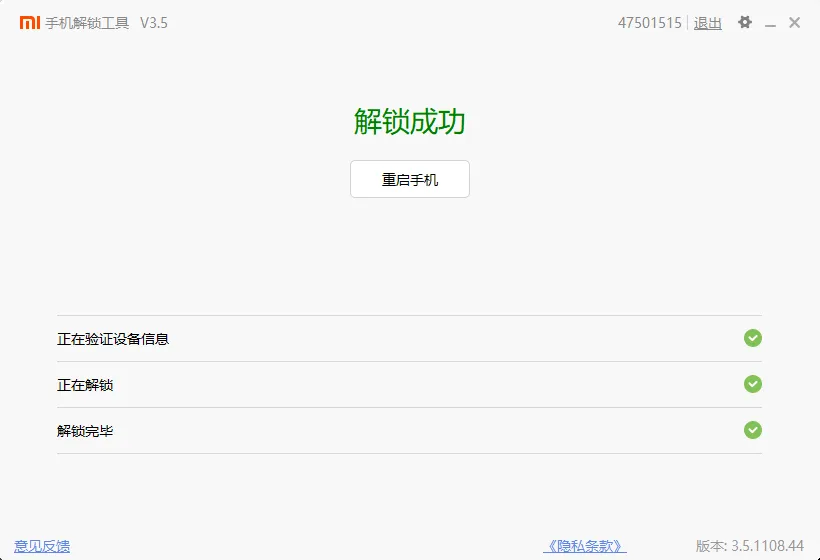
Flash TWRP
Recovery is Android’s recovery system, similar to Windows PE and macOS recovery function, which can be used to upgrade the system and reset the phone
Flashing third-party Recovery can get more functions, such as rooting and flashing third-party ROM
Among them, TWRP is a well-known open source Recovery image. Search Redmi K20 on the TWRP official website and you can see that TWRP has officially provided support for Redmi K20 Pro.
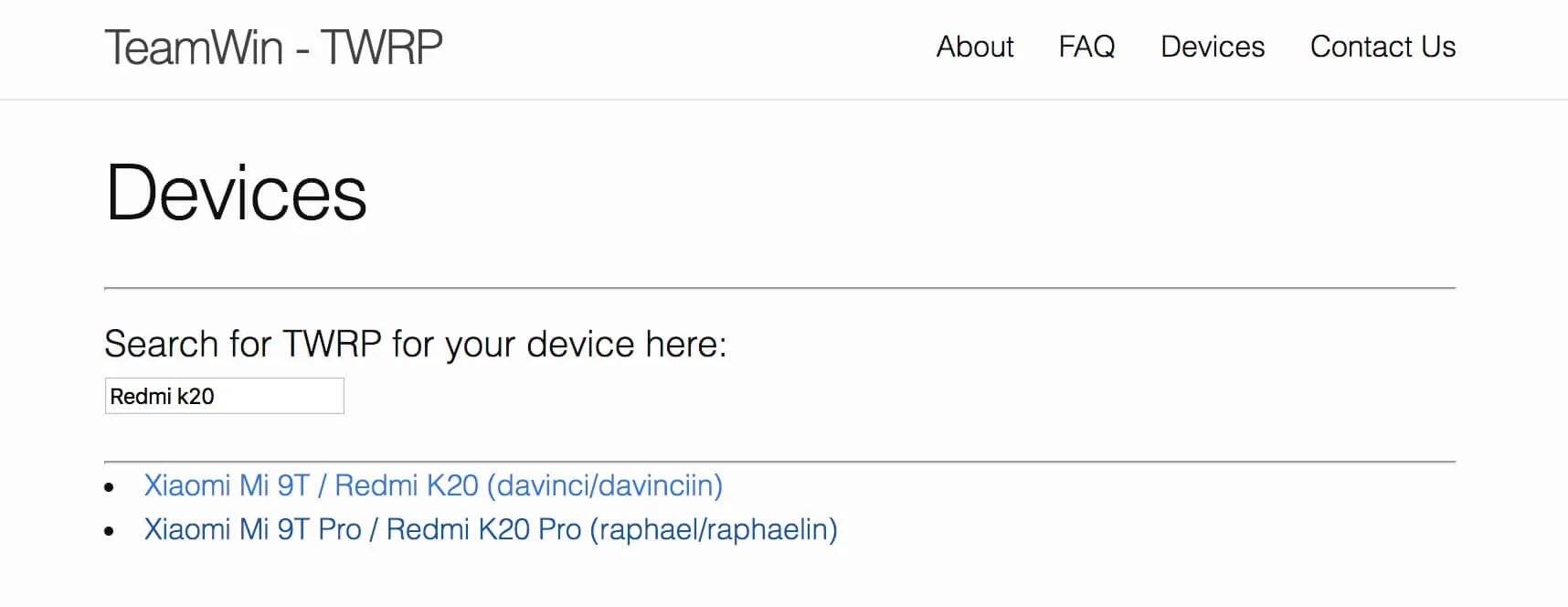
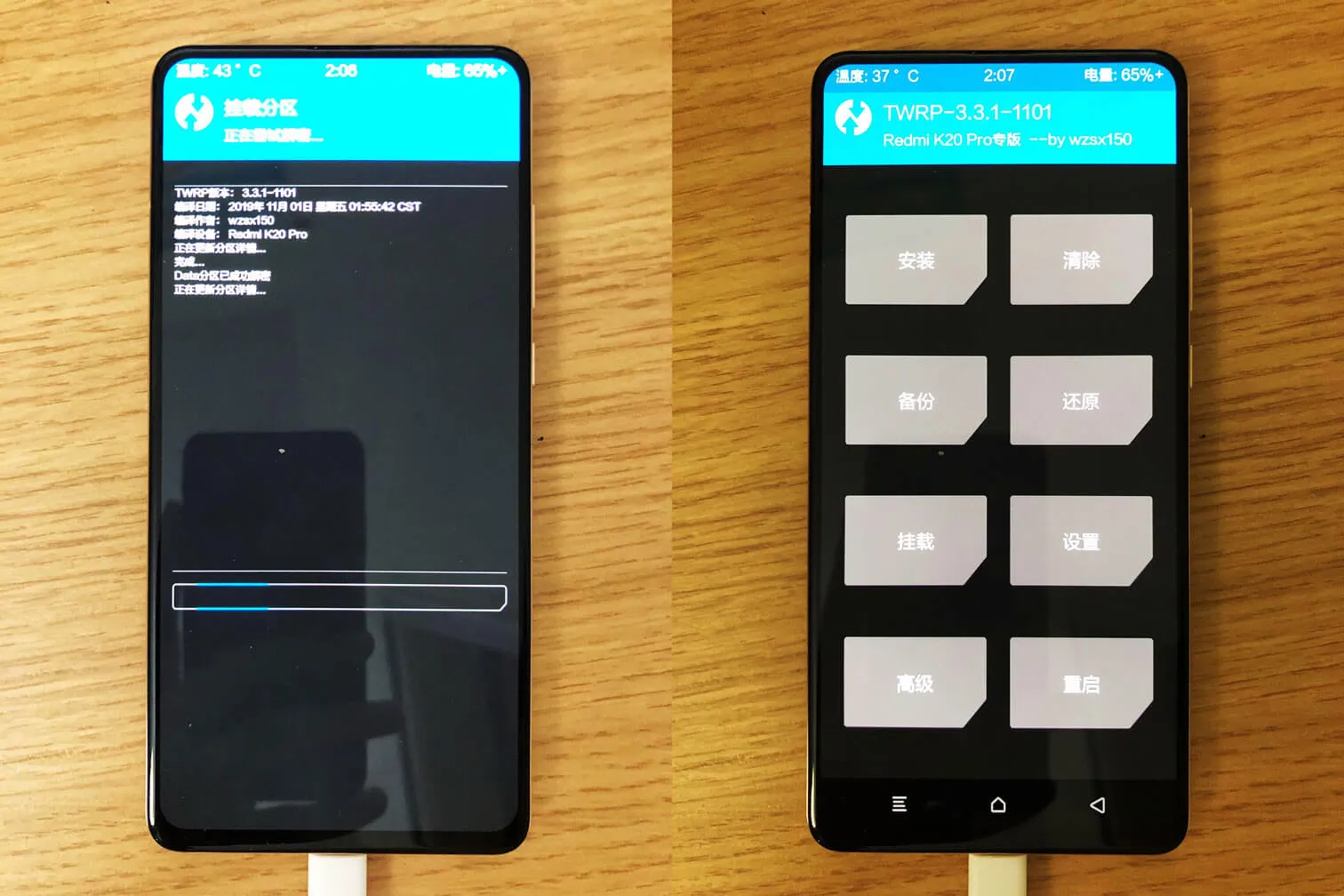
But because this article was too long, the official Redmi K20 Pro was not supported when I flashed TWRP. I used [TWRP] adapted by a domestic developer wzsx150 Image](https://weibo.com/ttaarticle/p/show?id=2309404160776561631202)
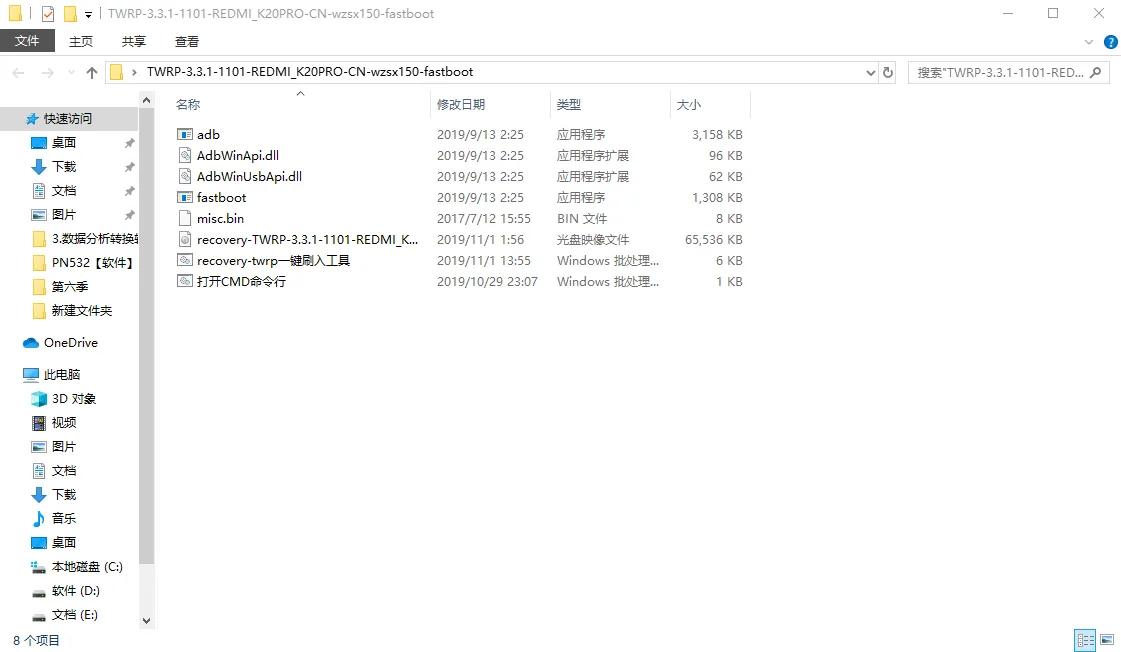
The wzsx150 team provides a very convenient one-click flash tool, open recovery-twrp一键刷入工具
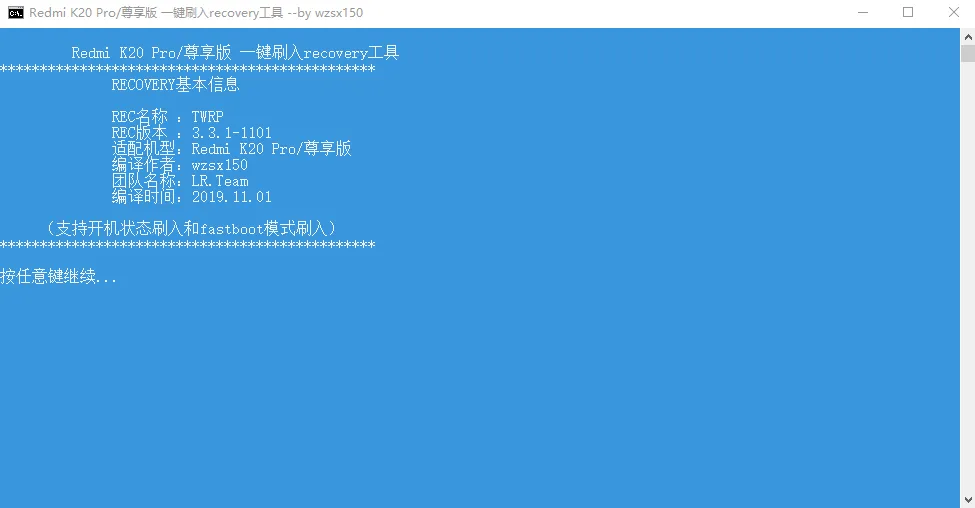
Follow the prompts for the next step.
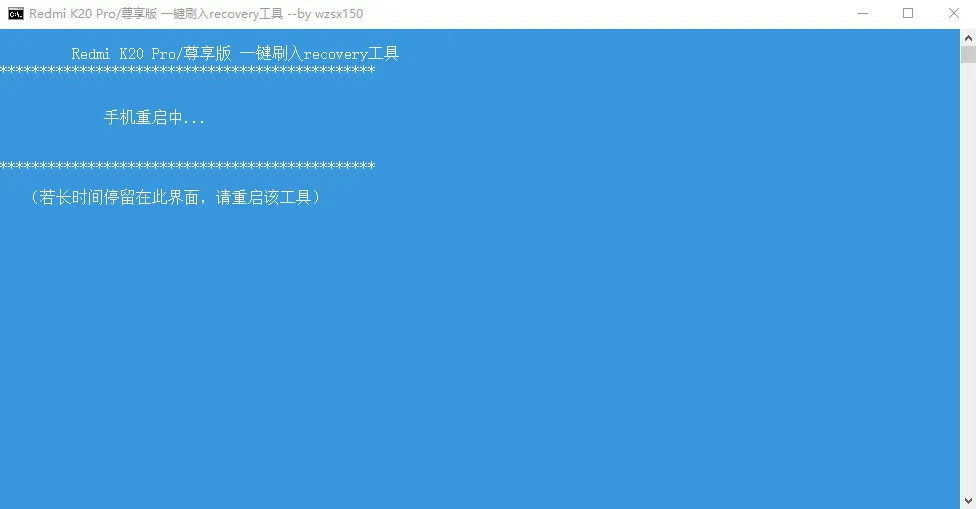
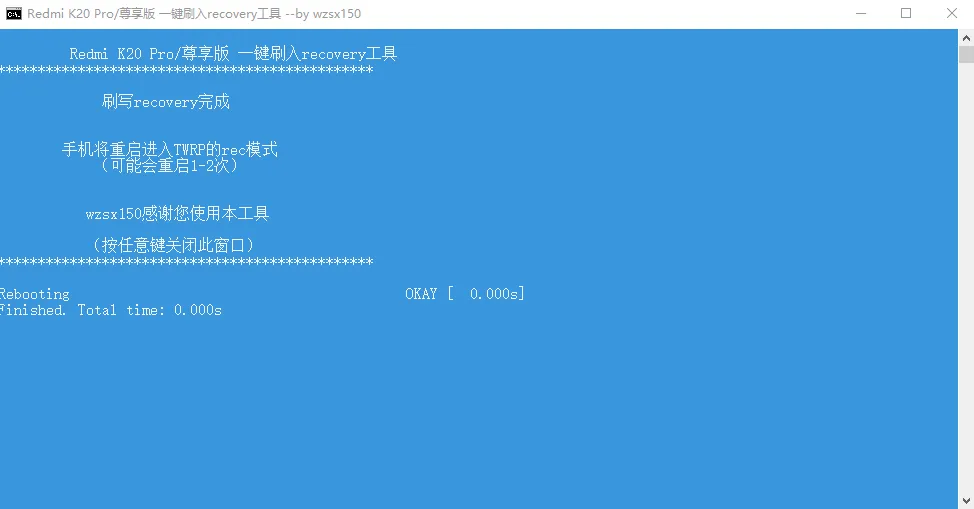
During this period, the phone restarted once, and then automatically entered TWRP, proving that the flashing was successful.
Flash into Magisk
Magisk is an artifact with both stability and playability: as a root solution, it can achieve painless OTA without damaging the system; as a plug-in extension platform, it can provide a wealth of custom modules to meet diverse customization needs.
Reference reading: Minority - an artifact that every Android player cannot miss
Magisk is also an open source project. Download the latest version of the Magisk installation package on GitHub and import it into your phone. Then click the 安装 button of TWRP to find the Magisk installation package and you can flash it.
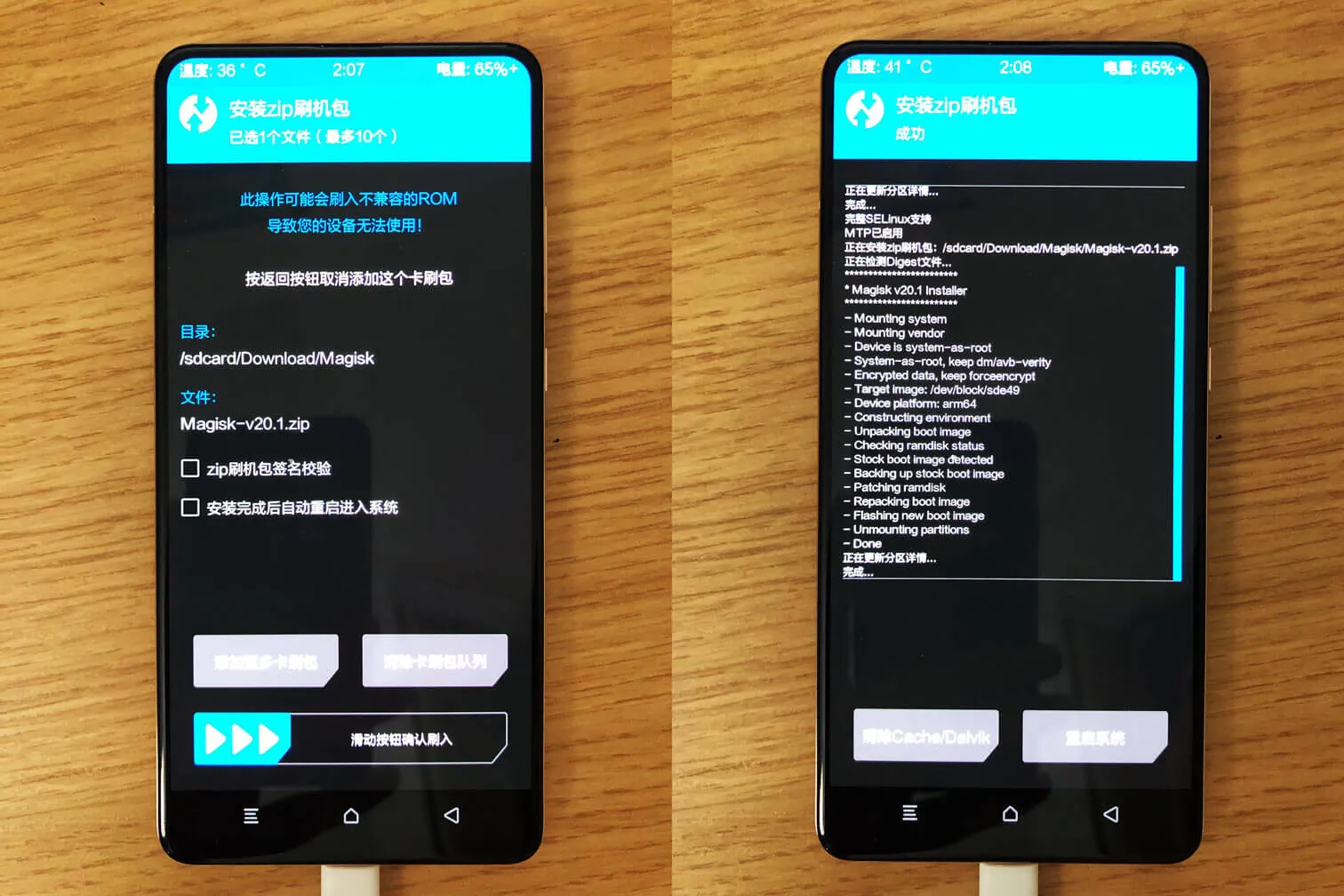
After restarting the system, you will find that there is an extra Magisk Manager on the desktop, proving that the flashing is successful.
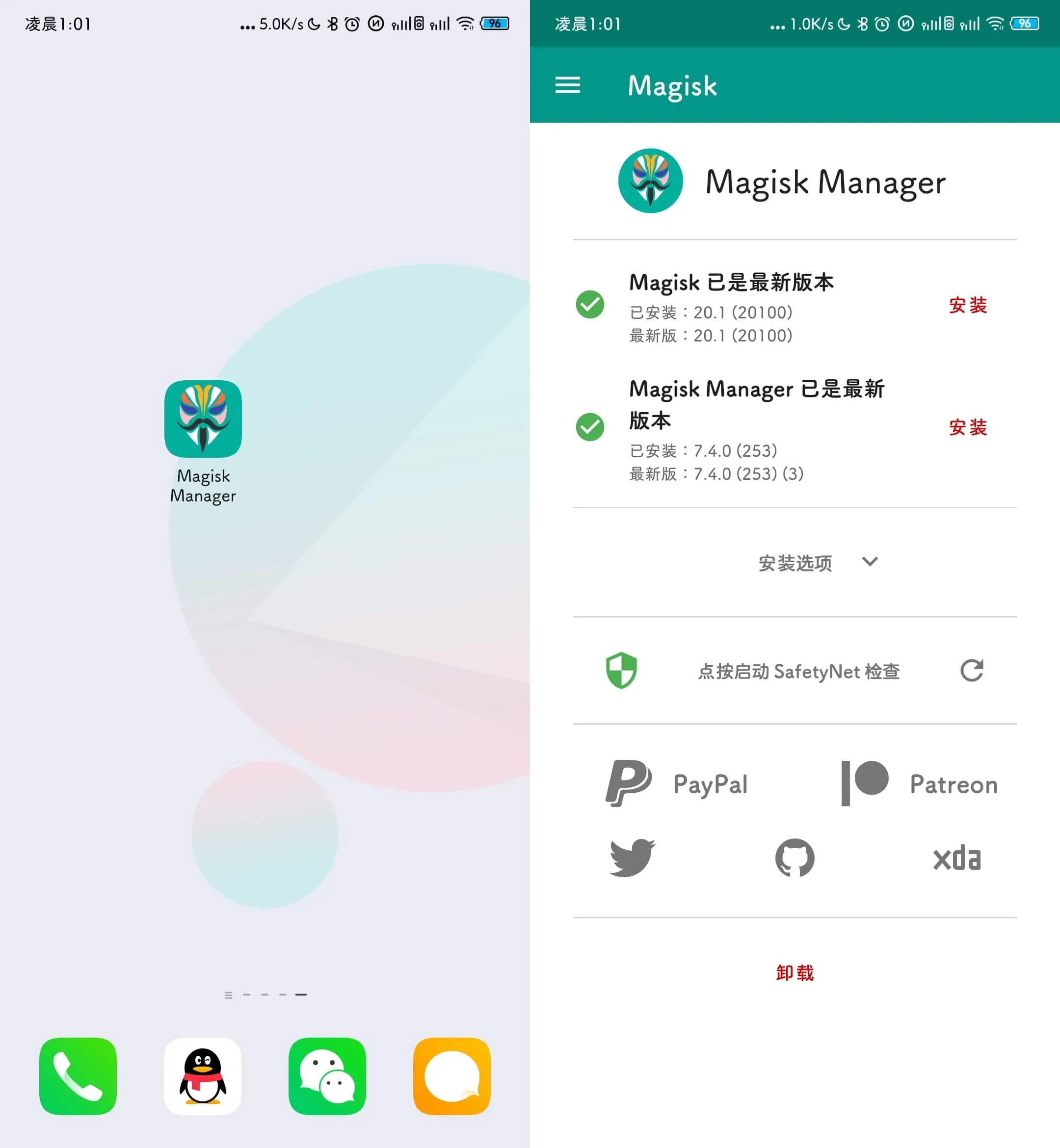
Magisk
After preparing so much, I can finally install the Magisk module. Magisk modules are very rich and there is a lot of information online, so here I will only introduce a few modules I use.

Tsukushi Amaru: Globally replace the system font. The font is called Tsukushi Amaru ゴシック. The effect is as shown in the picture. It is very cute. The introduction and download are here
Google Lens Enabler: Spoof Google Photos that this device is a Pixel device to enable the function of Google Smart Lens, and then has an important additional effect: giving Google Photos unlimited space

Riru - Core: Riru is a series of modules. To use Riru modules, you need to install Riru - Core first.
Riru - Storage Redirect: Storage redirection. Almost all Android applications will store information in our mobile phones. For this reason, the Android system provides two directories, /data and sdcard/Android/data, to store application data files. Unfortunately, many application developers do not follow this specification, which makes the internal storage directory of the phone extremely cluttered and inefficient in file management. Use Storage Redirect It can solve the above problems very well. It will relocate the application private folders scattered everywhere to the specified location. Here has its official introduction and documentation.

Tai Chi: Tai Chi module, see next section
Tai Chi
To introduce Tai Chi, we must start with the Xposed framework
Many people have heard of the name Xposed. It can modify various data of the system and applications by changing the system framework, thereby realizing countless possibilities. It also greatly improves the playability of the Android system, and has richer modules than Magisk.
However, the Xposed framework cannot be updated as quickly as the Android system version. The latest version is stuck at the Android 8.0/8.1 beta3 version. For Android 9.0/10.0 users, they can only choose third-party implementation. Currently, there are two commonly used solutions: [Tai Chi] (https://taichi.cool/README_CN.html) and [Edxposed] (https://github.com/ElderDrivers/EdXposed)
I initially installed Edxposed, but it seemed to have compatibility issues with MIUI 11 and couldn’t be used, so I switched to Taichi.
Here are a few modules I use:

The built-in browsers of Great Sage Purify and Fuck You Uncle are very fragrant.
Google Camera
Redmi K20 Pro supports Camera2 API, so you can install Google Camera without any extra effort
Domestic developer Agoujiang has shared a Google camera specially tuned for Redmi K20 Pro

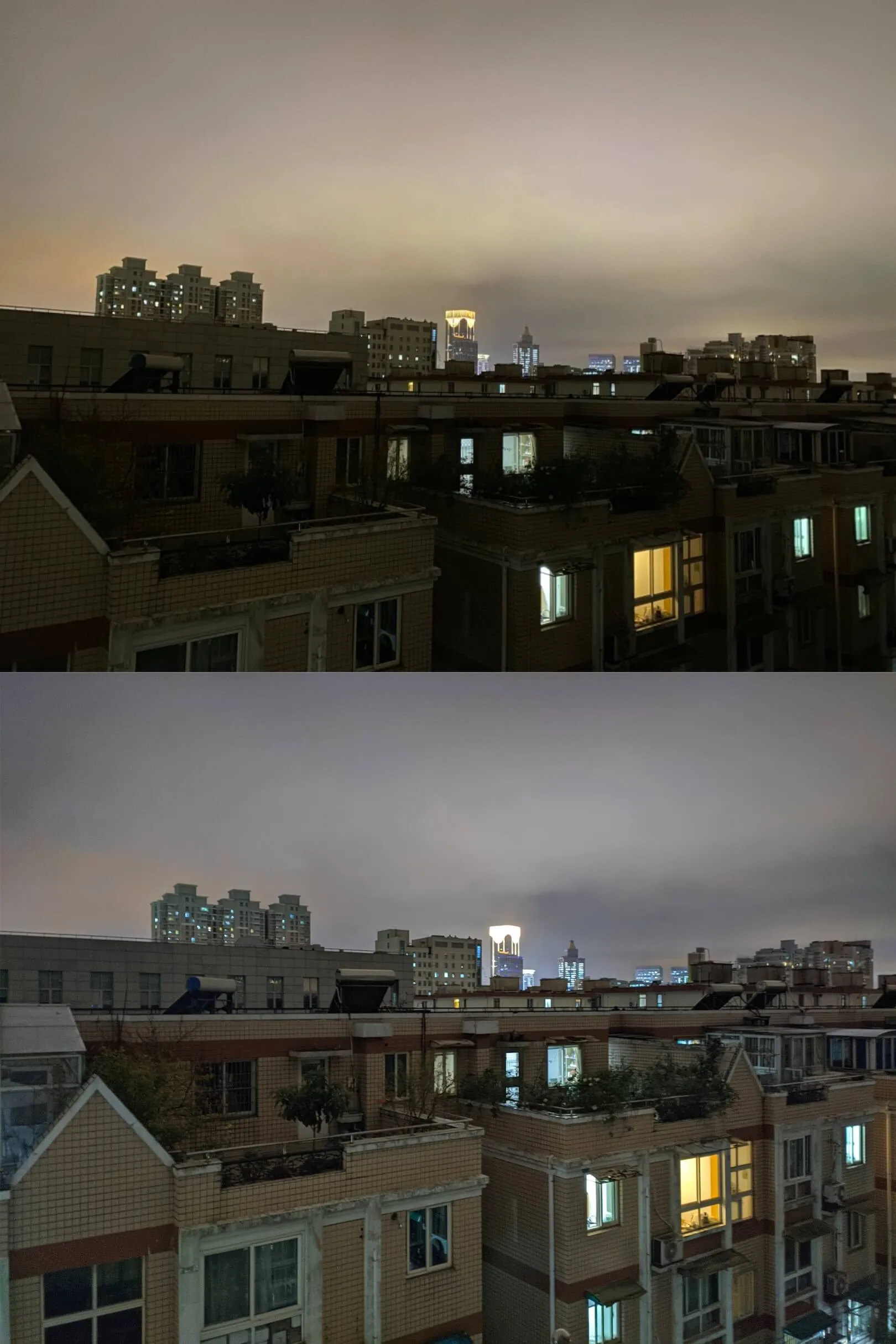
Thanks to the HDR+ algorithm, the improvement is very obvious. Google is really too powerful.
MIUI built-in camera vs Google Camera
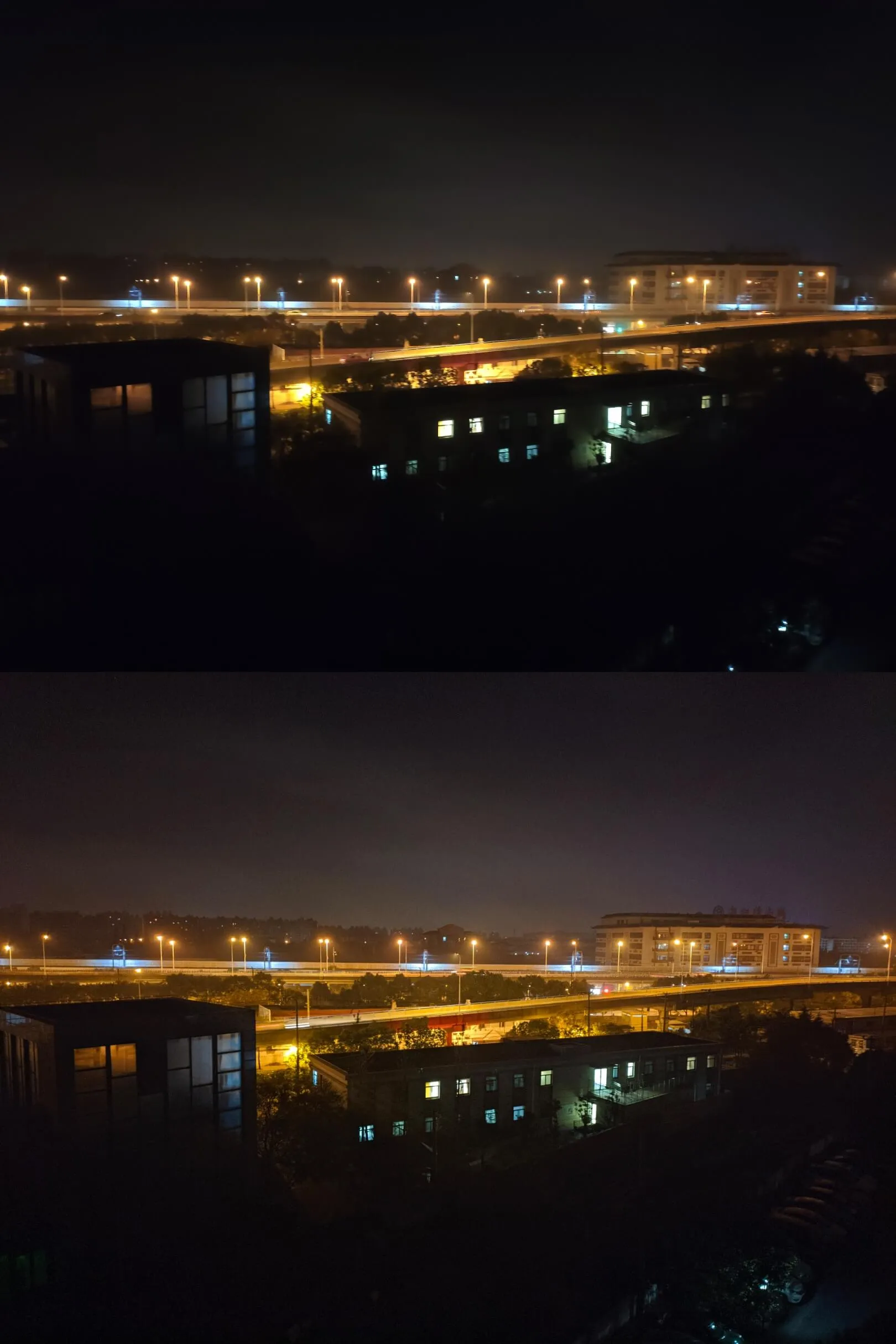
iPhone 11 built-in camera vs Google camera
To sum up, many black technologies on Android are indeed very popular, but the sophistication, design, user-friendliness and software ecology of the entire system are still very different from iOS. This made me painfully adapt to it for more than a week before I started to accept it. If Pinduoduo hadn’t unpacked it and refused to return it, I might have switched to an iPhone the next day.
But once you accept this setting, Xiang